Mobile App · UX Research & Design · 2019
Trips-Tips
A mobile app that transforms group travel — helping strangers turn into a team. Plan stations together, coordinate in real time, and shape the trip around everyone's expectations.
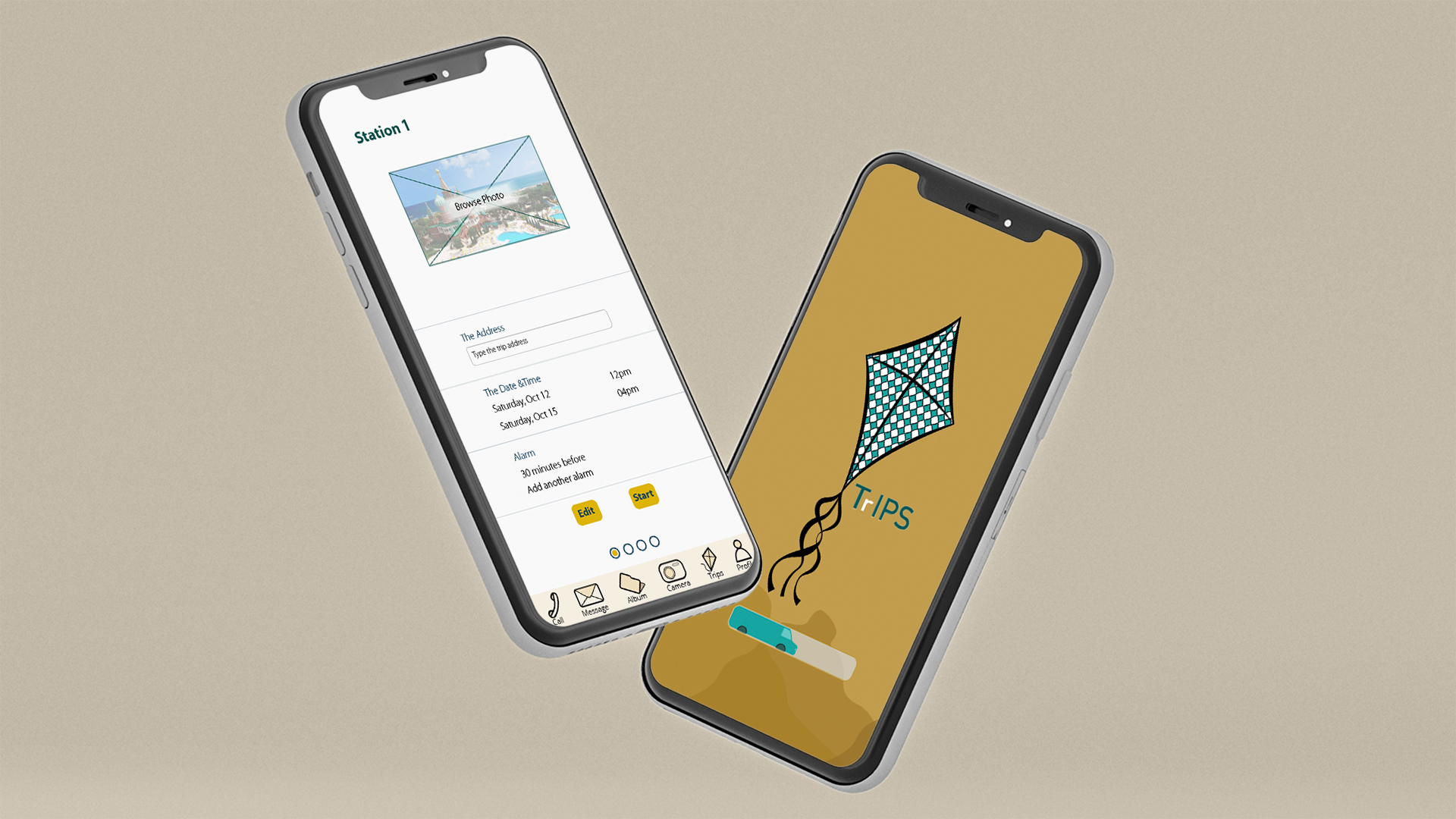
A mobile app that transforms group travel — helping strangers turn into a team. Plan stations together, coordinate in real time, and shape the trip around everyone's expectations.
Group trips with people you don't know well — neighbors, coworkers, tour groups — often start with excitement and end in confusion. Who's leading? Where are we meeting next? What if someone wanders off? Plans made before the trip rarely survive contact with reality on the ground.
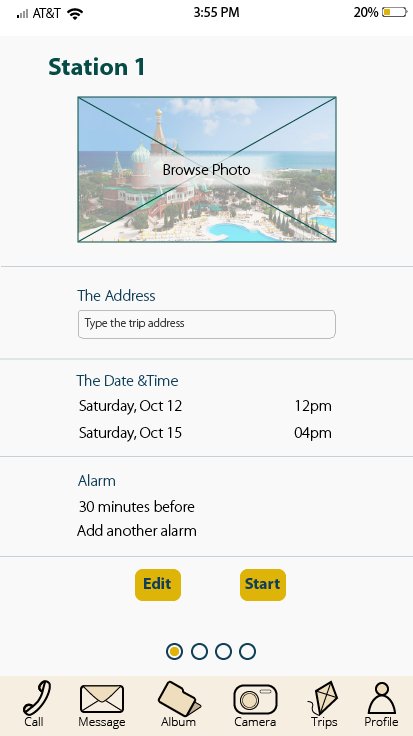
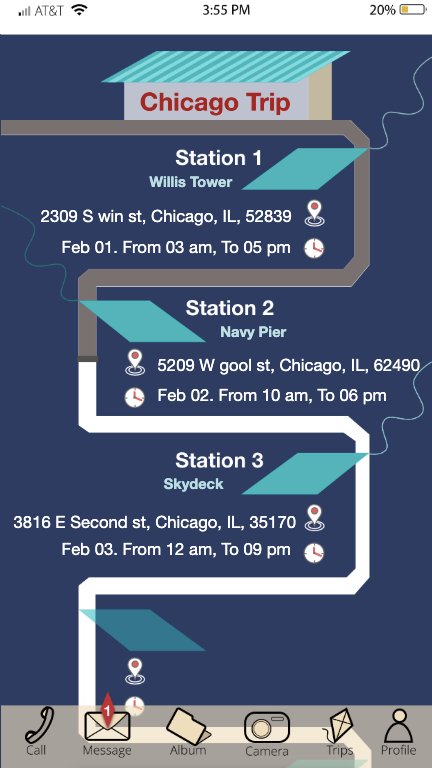
Trips-Tips was designed to solve this. It's a mobile app for people heading on a trip with a new group — making the trip easier to coordinate and giving every member a chance to connect and shape the itinerary around their expectations. The app maps out each trip as a sequence of stations, each with its own time, location, and shared coordination.
Every trip is structured as a series of stations — each with its own time, location, and photo. The visual trip line shows everyone exactly where they are in the journey.
All members can contribute. Suggest changes, add addresses, adjust alarms, or vote on the next stop — the trip adapts to the group instead of being locked in.
Start a new trip from scratch with a guided flow, or revisit past trips — each saved as an editable template to redesign and share again.
The design was built through a full UX process — starting with user research and persona development, then sketching storyboards and paper prototypes before moving into high-fidelity screens.
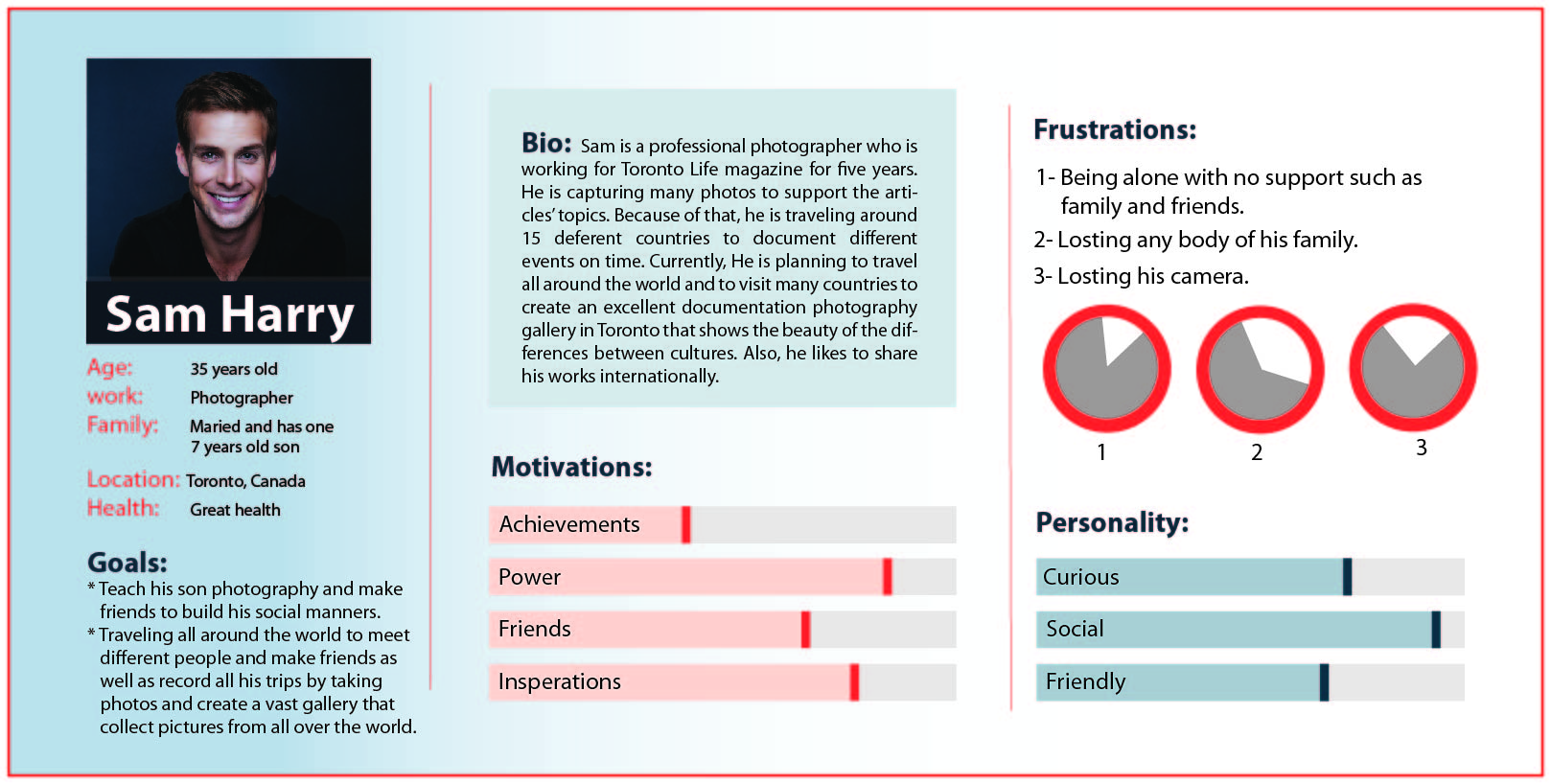
The project began by defining a target user: Sam Harry, a 35-year-old photographer who travels for work, values social connections, and frequently joins group trips where coordination breaks down. The persona anchored every design decision in real human needs — motivations, frustrations, goals, and personality traits.
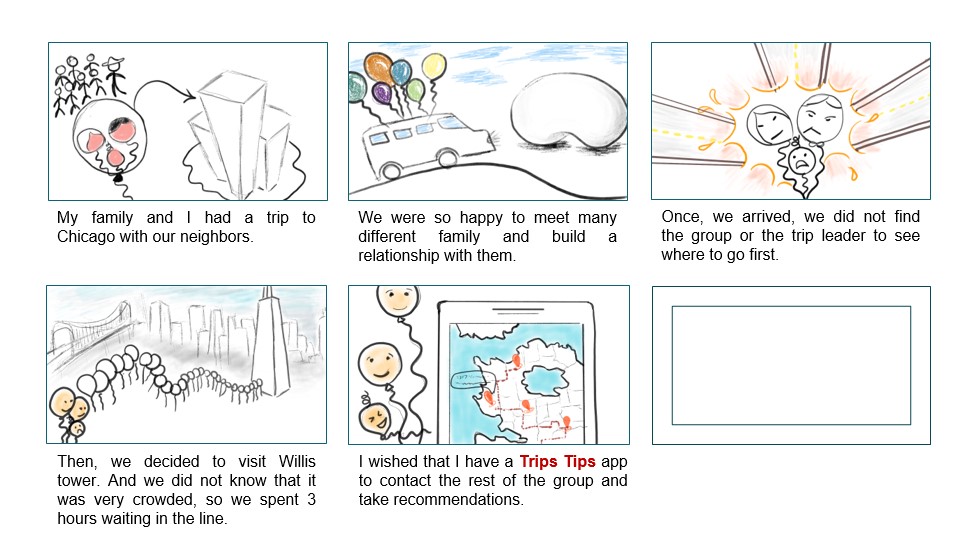
A six-panel storyboard grounded the design in a specific scenario: a family trip to Chicago with neighbors. The story traces the pain points — getting separated, not knowing where to go first, waiting three hours in line at an unexpectedly crowded attraction — and ends with the "aha" moment: "I wished that I had a Trips-Tips app."
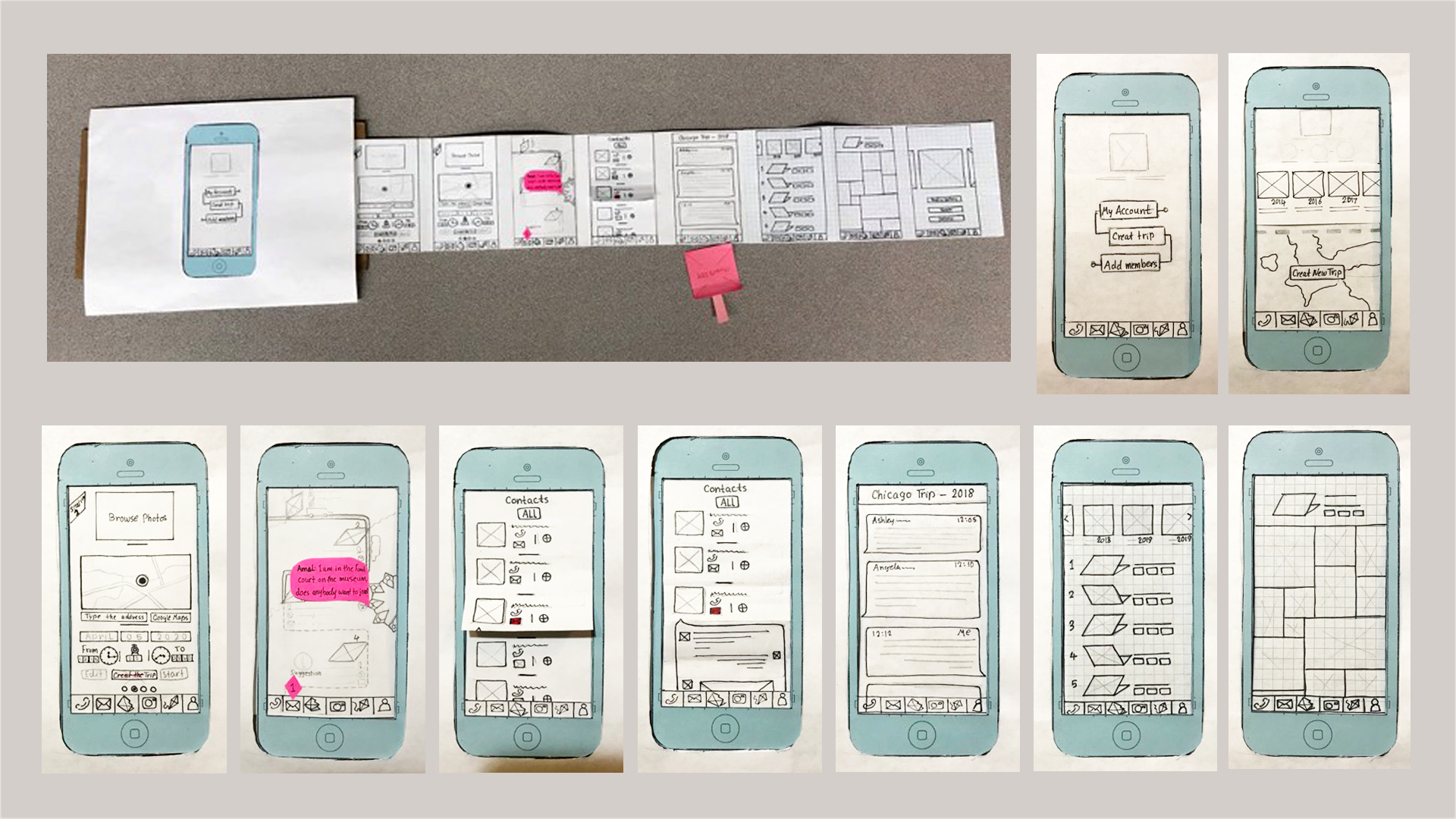
Before any pixels, the full app was prototyped on paper. Every screen — home, contacts, station editor, trip archive — was drawn by hand and tested. Sticky notes captured user feedback and enabled rapid iteration. This low-fidelity stage surfaced navigation problems early, when they were still cheap to fix.
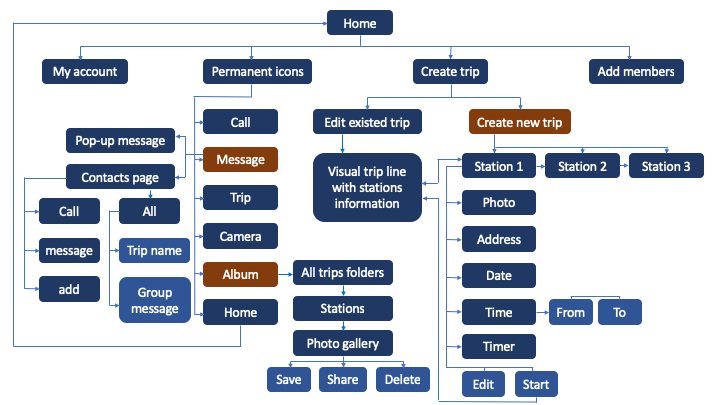
A flowchart mapped every possible path through the app — from the home screen to account settings, trip creation, station editing, and archived trips. This architectural view made the navigation model explicit, identifying redundant paths and ensuring every feature had a clear entry point.
The final visual language is warm and handcrafted — a kite, a toy car, a soft ochre background — signaling play and travel rather than corporate utility. The navigation bar of hand-drawn icons carries this tone through every screen.
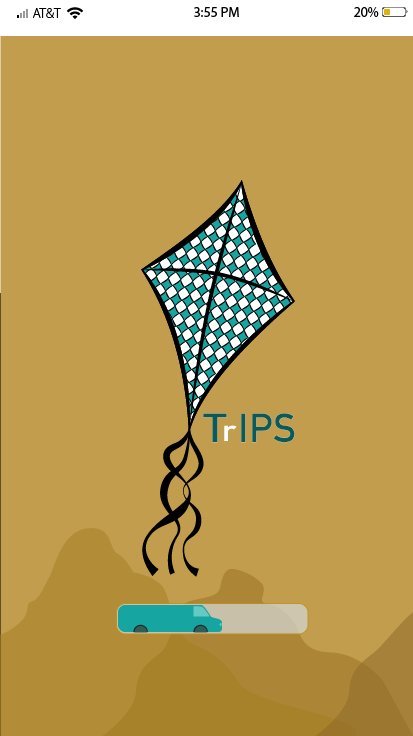
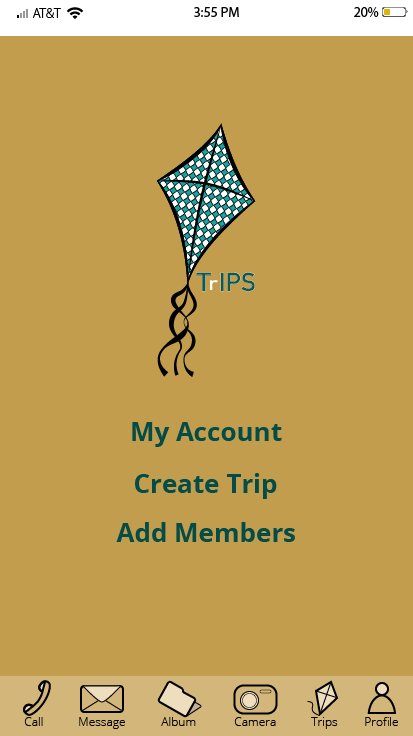
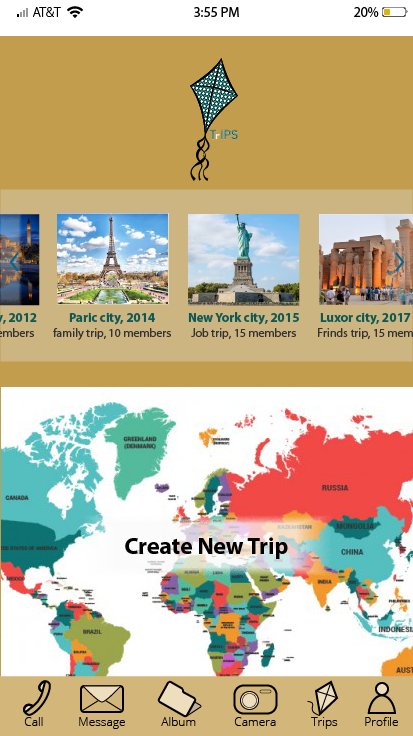
A walkthrough of the interactive prototype — showing the flow from launch through trip creation, station editing, and navigation.
See the full portfolio or discover other interactive projects.
All Projects View Art Game